On the Mac, it lives in the notch.
Pull down from the notch for system health, media, clipboard, timers and AI chat. Updates are signed, and where the Mac has a Secure Enclave, paid sessions are bound to that device.
See Apertura for macOS Apertura
Apertura lives in the space around your display notch. One gesture pulls up system stats, AI chat, media controls, and automations, then disappears when you're done.
Opens with ⇧⌘I/Alt+Space, or pull down from the notch.
macOS: coming soon · Windows: coming soon
One product, two native apps
The same calm gesture on both platforms, with controls that belong to each one.
Pull down from the notch for system health, media, clipboard, timers and AI chat. Updates are signed, and where the Mac has a Secure Enclave, paid sessions are bound to that device.
See Apertura for macOSNo notch required. The same gesture opens a compact panel built as a Windows app, with verified updates and no hardware serial numbers in the device fingerprint.
See Apertura for WindowsThe Apertura loop
Every interaction follows the same rhythm: see the signal, choose the next move, keep your focus. Nothing competes with the work underneath.
A live, readable glance replaces the hunt through tabs and menus.
Consent and scope are visible before anything leaves the device.
One action completes the moment, then the surface gets out of the way.
Features
Apertura is a set of focused panels that appear when you need them and disappear when you don't.
01 / STATS IN NOTCH
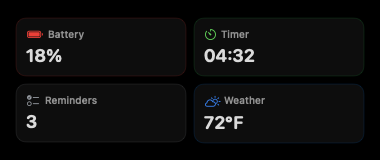
CPU, memory, network, battery, and disk in one compact panel that lives in your notch. Pull down, check what matters, let go. No dashboard tab to leave open. Works natively on macOS and Windows.
02 / AI CHAT
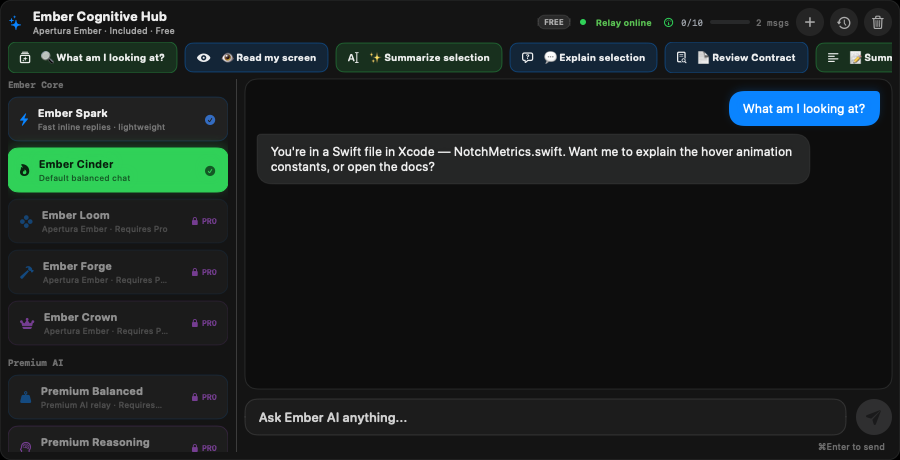
Chat with a local or remote model from the notch. Screen capture is opt-in and requires your explicit consent every time. Nothing is captured, recorded, or sent until you type and send a message. No background recording, no hidden telemetry. Consent is not a setting; it's the only path.
03 / MEDIA CONTROLS
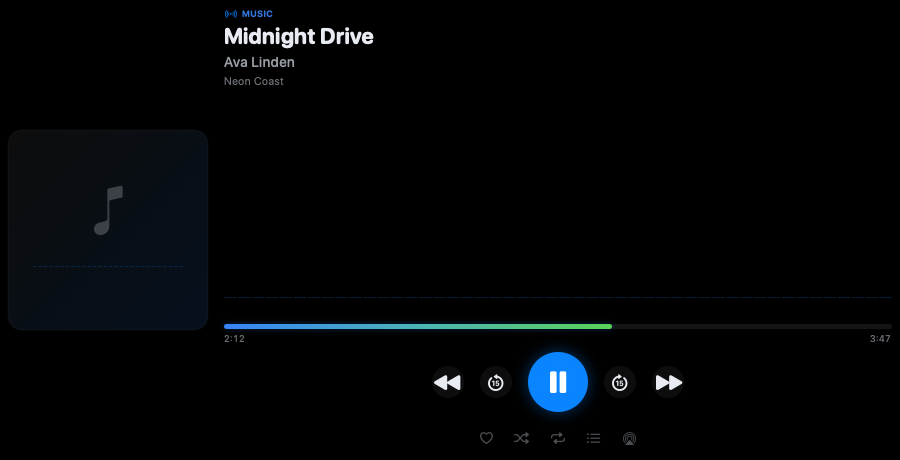
See what's playing, scrub, adjust volume, and move on. No need to find the right window. Works across macOS and Windows media sessions.
04 / BOUNDED AUTOMATIONS
Modules
Every panel below is part of the app today. Each opens on request and gets out of the way.
CPU, memory, disk, network and battery in one compact panel.
See what is playing and control it without finding the right window.
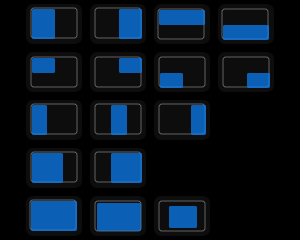
Pick a zone and snap the active window into place.
Search local clipboard history and notes. Nothing goes to AI unless you choose it.
Timers, countdowns, conversions and reminders from one gesture.
Ask from the notch. Screen context is opt-in, every time.
Pricing
Every tier builds on the one below it. Final paid-tier packaging beyond the approved one-time Pro shape will be announced before public release.
Free
$0
forever
Pro
$29
one-time
Developer
TBA
not sold separately yet
Max
TBA
not sold separately yet
Pricing is not active while the product remains in pre-release verification. No subscription, trial, or recurring billing promise is made here.
Privacy
Stats, media, clipboard, window arrange and quick actions stay on your device. AI chat sends data only when you submit a message, and screen context is captured only after explicit consent.
Mac + Windows
Each platform opens on its own installer. A download button appears only after that platform's installer is signed, tested on real machines, and verified with the production service. Until then, it shows "coming soon."
Newsroom
Company updates and sourced coverage of AI, Mac, Windows and productivity are collected in the newsroom. Every automated article lists the sources it was written from.
Questions
The previous test build was withdrawn. Downloads will open when the current Mac and Windows installers complete signing, notarization, installation testing, and production-service verification. This page shows the live status from the same release descriptor the apps use to verify updates.
No. On Windows, Apertura uses a top-bar panel that appears with the same gesture. The interaction model is identical. The surface just adapts to the platform.
Local features (stats, media, clipboard, window arrange, quick actions) stay local. AI chat sends data only when you explicitly submit a message. Screen context is captured only after explicit consent. Nothing is captured in the background.
macOS and Windows each use a signed update channel. The app verifies every update before accepting it. The website links only to versions accepted by those channels.
Yes. The AI chat panel does not capture screen content, audio, or input until you explicitly type and send a message. Screen capture is opt-in and requires your consent every time. There is no background recording, no automatic screenshot, and no hidden telemetry. Consent is the only path to the model.
The product is in final verification. The macOS and Windows builds exist but are not yet signed for public distribution. This page reflects the live release descriptor. When it flips, downloads open.
Get Apertura
Each download opens once that platform's installer is signed, tested on real machines and verified with the production service. The download center shows the live status.
Open the download center